

Droidex Companion hosts the full set of Droid Tycoon calculators players need in one place: base income, rebirth planning, Nova and chip cost, upgrade chip cost, chip station upgrades, and community statistics. Each tool pulls from live, verified game data and pairs with official Fortnite update notes, so projections stay current after a patch changes device behavior. Players who want a single source for planning rebirths and tracking growth start there.
TL;DR:
- Accurate decision-making requires running the rebirth planner and chip station calculator together, as they both draw from the same resource pool and influence each other's inputs.
- Doing a baseline run with the base income calculator aids in setting realistic goals before testing timing and spending strategies via other tools.
- Rechecking inputs after each Fortnite patch or update ensures the calculators reflect recent changes to device mechanics and resource yields.
- Relying on community statistics and verifications from Fortnite official sources helps confirm calculator accuracy and prioritize meaningful upgrades.
- Tracking your account's stats with Droidex Companion provides real-time data, making projections more precise and reducing reliance on memory estimates.
Table of Contents
- 1. Available Droid Tycoon calculators at a glance
- 2. How each calculator works, step by step
- 3. A quick workflow for turning stats into decisions
- 4. Why these calculators stay accurate
- 5. When a calculator beats a gut call
- 6. Getting started with Droidex Companion
- 7. Where to verify calculator accuracy
- Sources
- FAQ
1. Available Droid Tycoon calculators at a glance
Six calculator types cover the decisions that matter most during a Droid Tycoon session. Each one answers a specific question: how much am I earning, when should I rebirth, and where should my chips go next.
- Base Income Calculator: estimates income per cycle from your current droid tier counts and production rates, best used at the start of a session to set a baseline.
- Rebirth Planner: models how rebirth thresholds and Super-Rebirth (SRB) timing affect Nova yield, best used before committing to a rebirth.
- Nova & Chip Cost Calculator: plans spending across multiple cycles to maximize long-term growth, best used when deciding between upgrades and savings.
- Upgrade Chip Cost Calculator: computes cumulative chip costs for a target upgrade level, best used before a big purchase.
- Chip Station Calculator: compares station upgrade tiers against resource cost, best used when a station upgrade competes with droid purchases for the same chips.
- Community Statistics pages: aggregate rarity data and average yields across the player base, best used to sanity-check your own droid collection against typical outcomes.
The full set lives on the Droid Tycoon tools page, with the chip station calculator, the upgrade chip calculator, and the community statistics page each available as standalone tools. Open the base income and rebirth planner early in a session to set expectations, then switch to the chip calculators whenever a purchase decision comes up.
2. How each calculator works, step by step
Each tool takes a small set of inputs and returns a number you can act on immediately. Here is what goes in, what comes out, and how to read the result.
- Base Income Calculator: enter your droid tier counts and their production rates. The output is income per cycle and net profit after maintenance costs. Say you run 4 mid-tier droids producing 120 units per cycle each: the calculator returns 480 units per cycle before costs, then subtracts upkeep to show real profit.
- Rebirth Planner: enter your current rebirth level, accumulated resources, and target SRB timing. The tool simulates how delaying or triggering a rebirth now changes your Nova yield over the next several cycles. Community-sourced heuristics suggest waiting for a higher rebirth level before triggering Super-Rebirth to avoid wasting exponential rewards, but a simulation lets you test your specific account instead of following a fixed rule. Accurate results depend on including both your per-cycle income and the rebirth multiplier schedule together; leaving either out produces an overly optimistic projection.
- Nova & Chip Cost Calculator: enter planned purchases across several cycles. The tool spreads spending to show which sequence maximizes growth instead of spending everything on the first available upgrade.
- Upgrade Chip Cost Calculator: enter your current upgrade level and target level. The calculator applies the cumulative cost formula and returns total chips needed. Going from level 3 to level 6, for example, costs more than triple a single level-3 upgrade because each step compounds on the last.
- Chip Station Calculator: enter your current station level and available chips. The output compares upgrade tiers against resource cost. Station upgrades are often nonlinear: one level increase can change drop tables or speed enough that a marginally pricier upgrade produces outsized returns, so it is worth modeling both steady income and short-term spikes before deciding.
- Community Statistics pages: browse aggregated rarity data and average yields drawn from the wider player base. Use these figures to check whether your droid collection or income sits above or below typical outcomes, and to fill in inputs for droids you have not tested yourself.
Pro Tip: Run the rebirth planner and the chip station calculator together before any major purchase decision. They pull from the same resource pool, and a choice in one changes the input for the other.
Per-droid stat pages, such as those for TRAK-R, PIT, and OPT-AR, supply the production rates and rarity figures these calculators need as inputs. Pulling numbers from those pages instead of estimating keeps your simulation closer to your actual account.
3. A quick workflow for turning stats into decisions
A calculator is only as useful as the data you feed it. Here is a short routine to run each session.
- Capture your current stats. Note droid tier counts, production rates, current rebirth level, and chip totals before you open any calculator.
- Run the base income calculator first. This sets your baseline profit per cycle and tells you how much you have to work with.
- Test rebirth timing in the planner. Enter your current numbers and compare triggering now against waiting several cycles.
- Check chip allocation. Run the upgrade chip and chip station calculators against the same resource pool to see which spend produces more value.
- Re-validate after any patch. When Fortnite pushes a Creative update that changes device behavior, rerun your simulation with fresh inputs rather than trusting a saved result.
Common mistakes include entering production rates from memory instead of a fresh screen capture, forgetting to update rebirth multipliers after a level change, and skipping the chip station calculator because it seems minor when its nonlinear returns can outweigh a droid purchase. Checking the v1.24 patch notes before a big session helps confirm whether recent changes affect your inputs.
4. Why these calculators stay accurate
Droidex Companion verifies Droid Tycoon data through local screen recognition, meaning stats come from live reads of a game session rather than static estimates. The companion app combines live stat monitoring, rebirth planning, customizable overlays, and a leaderboard system in one tool, so the same data feeding a calculator also drives the on-screen display.
Local screen recognition reads your session directly, so the numbers behind a calculator reflect what is actually happening in your game, not a cached average.
Community statistics are aggregated across many player sessions and refreshed as patch notes arrive, including changes introduced in Fortnite Creative v24.00, which altered device and UI behavior relevant to in-island mechanics. Fortnite's own developer rules require accurate descriptions of in-island transactions and gameplay value, which is part of why tracking tools need to stay tied to official change logs rather than static guides. After any major Fortnite update, re-check your calculator inputs before trusting the output.
5. When a calculator beats a gut call

Simple heuristics work fine for early rebirths, when the numbers are small and mistakes cost little. Calculators start paying off once your account has enough droids, upgrade levels, and chip reserves that a wrong guess wastes real progress instead of a few minutes.
The one change worth trying this week: before your next rebirth, run the numbers through a planner instead of going by feel. Compare triggering now against waiting three or four cycles, and let the output settle the decision rather than a recommendation you half remember from a guide.
— Daniel
6. Getting started with Droidex Companion
Droidex Companion is a free download that puts every calculator described above behind live stat tracking, so you never have to type numbers in manually after the first setup. Because it reads your session through local screen recognition, the companion updates income figures, rebirth projections, and chip totals as you play rather than after you stop to check a separate page.
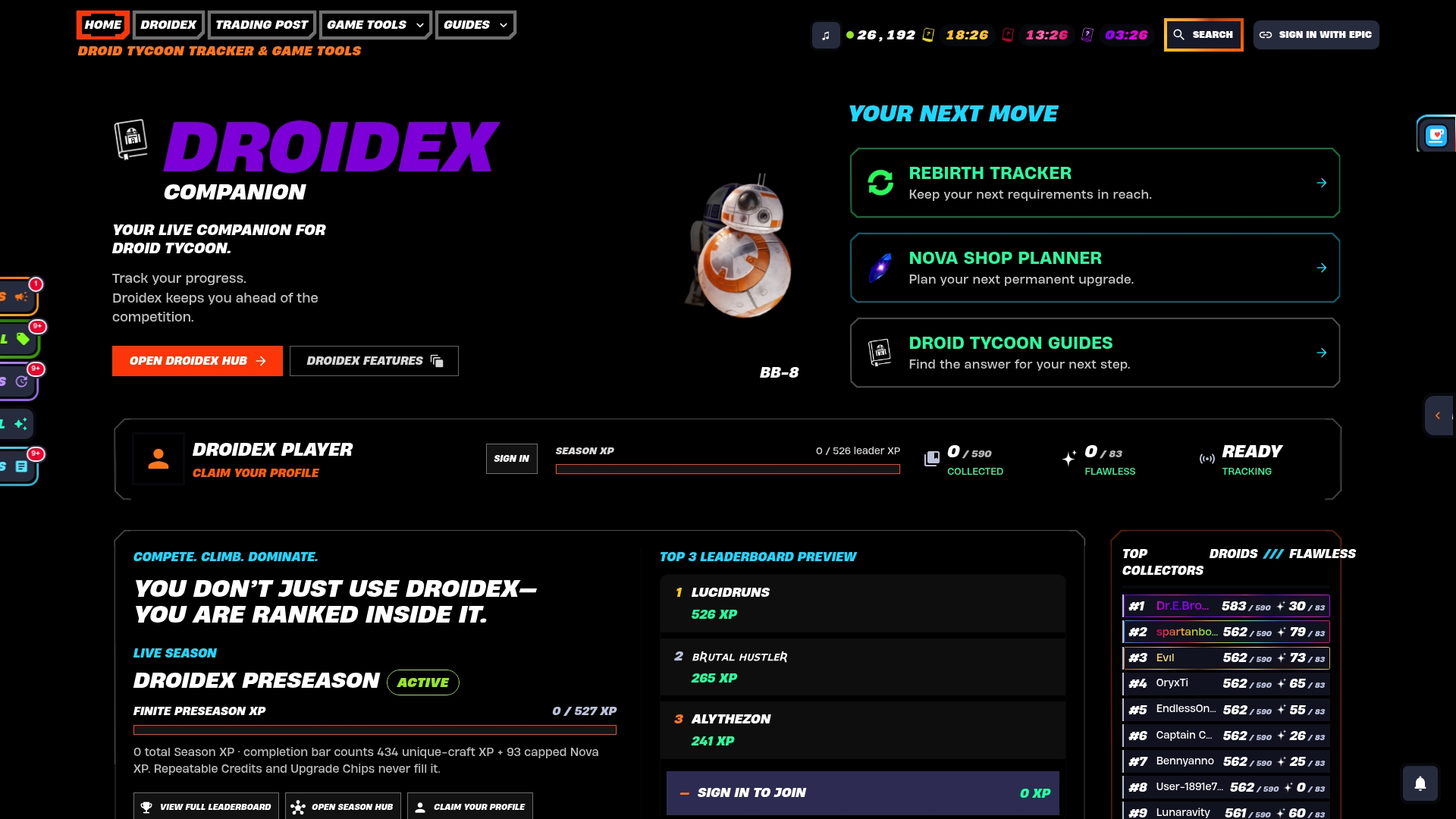
- Live stat tracking: pulls droid counts, income, and chip totals straight from your session.
- Rebirth planner: built into the same overlay, so you can test timing without leaving the game.
- Chip and upgrade calculators: access the chip station and upgrade chip tools from the same app.
- Rebirth cycle tracking: the rebirth cycles tracker logs requirements and history automatically.
Open Droidex Companion to download the app, then paste your first session's stats into the base income calculator to see how it compares against the community averages. Players who track hardware setups alongside their sessions can also browse handheld gaming devices through Retro Pulse for a portable setup that pairs with quick stat checks between rounds.
7. Where to verify calculator accuracy
Official Fortnite sources and Droidex verification pages are the two places to watch when a calculator's output looks off after a patch.
- Fortnite Creative v24.00 update notes: lists device and UI changes that can shift in-island mechanics.
- Fortnite island creator rules: covers how in-island transactions and gameplay value should be represented.
- How Droidex verifies Droid Tycoon data: explains the methods behind the numbers feeding each calculator.
- Droid Tycoon complete droid catalog: source for per-droid stats used across all six calculators.
Sources
FAQ
What droids make the most money in Droid Tycoon?
Income depends on tier and production rate rather than a single fixed droid, so the top earners shift as you upgrade your collection. Checking per-droid stat pages and the community statistics page against your own base income calculator results gives a clearer answer for your account than a fixed ranking.
What is the max level in Droid Tycoon?
Droid Tycoon's leveling structure changes as Epic and developer FOAD continue maintaining the island, so a fixed max level is not publicly listed. Checking the current rebirth requirements through a rebirth cycles tracker reflects the level structure as it stands after the latest update.
Will Droid Tycoon stay in Fortnite permanently?
Droid Tycoon remains an actively maintained Creative experience, with publishing rights transferred to developer FOAD rather than the mode being retired. Whether it stays available long term depends on Epic's ongoing support, so watching official Fortnite news is the most reliable way to track its status.
What are the rarest droids in Droid Tycoon?
Rarity varies by droid tier and drop rates, which the community statistics page aggregates across many player sessions. Comparing your own collection against those aggregated rarity figures, using stat pages like DRK-1 PROBE or SCRP-R, shows where a droid sits relative to typical pulls.