

The fastest, most reliable way to maintain a complete Droid Tycoon collection is to run a current catalog alongside a rebirth-aware tracker, either a simple Google Sheet or a companion app that automates active-count checks. This combination catches the gap between droids you own and droids actually deployed, which is the detail that blocks most rebirth attempts. The sections below walk through the catalog fields, tracker options, and templates you need to set this up.
TL;DR:
- Tracking active deployment alongside ownership is crucial, as only active droids count toward rebirth requirements, not just owned or tiered ones.
- Using companion apps that automatically read game state can reduce manual updates, improve accuracy, and help flag rebirth-ready sets in real-time.
- Regularly checking patch notes and updating your tracker ensures you incorporate new droids, tiers, and game changes, preventing stale data.
- Prioritizing upgrades on droids that satisfy multiple rebirth levels offers better ROI than purely focusing on credits per second gains.
- Maintaining a separate active flag and reviewing rebirth requirements before spending resources helps prevent costly mistakes and wasted credits.
Table of Contents
- The complete droid catalog and what to record for each entry
- Manual sheets, browser trackers, and companion apps compared
- Building your own tracker: a Google Sheet blueprint
- How Droidex Companion automates tracking and verification
- Rebirth requirements: what actually counts and how to track it
- Upgrade chip priorities and logging ROI in your tracker
- Daily habits that keep your tracker accurate
- Why rebirth-aware tracking beats simple collection checklists
- Droidex Companion: download, quick start, and what it automates
- Sources
- FAQ
The complete droid catalog and what to record for each entry
Community-maintained rosters, including the Reddit-hosted tracker that many web tools draw from, suggest the collection includes over fifty unique droids, with exact numbers varying depending on the patch cycle. Each droid can carry several variant tiers: Base, Gold, Diamond, Rainbow, and in some cases Mythic or Beskar finishes. Treating variants as separate catalog rows, rather than a single checkbox, is what makes a tracker useful once rebirth planning starts.
The publisher-maintained droid catalog organizes entries this way and is a practical reference point when you build your own sheet or check a companion app's data against the current roster.
A tracker earns its keep only when it records the right fields. At minimum, each droid entry needs:
- Owned status: whether you have obtained the droid at any tier.
- Highest tier reached: Base, Gold, Diamond, Rainbow, or Mythic/Beskar.
- Active/in-base flag: whether the droid is currently deployed to a base slot, separate from ownership.
- Credits per second: the droid's current income contribution at its tier.
- Notes field: rebirth levels the droid unlocks, event availability, or upgrade priority.
Patch v1.28.0 added the droid D-O to the roster alongside a rebuilt companion menu, according to patch notes covering the D-O event and UI update. New droids and variant tiers land with almost every major patch, so a static list goes stale fast. The fix is procedural, not technical: check the updates and patch notes page after every release and add new rows before you touch anything else in the sheet.
Skipping the active flag is the single most common setup mistake. A droid sitting in inventory but not assigned to a base slot will not satisfy a rebirth requirement, no matter how many tiers it has reached.
Manual sheets, browser trackers, and companion apps compared
Three tracking methods cover almost every player's needs, and each trades convenience against control. Google Sheets remain the most flexible option: fully editable, shareable with a squad, and easy to adapt as new droids appear. The tradeoff is manual entry. Every ownership change, every tier upgrade, and every active-slot swap has to be typed in by hand.
Browser-based trackers close some of that gap. Tools like the free tracker, value list, and base guide at Tycoon Tools bundle a rebirth planner, a droid value list, and a base optimizer into one page that saves progress locally without requiring an account. That local-save approach protects privacy, but the data still has to be entered by the player, and nothing in the browser reads your live game state.
Companion apps close the last gap by reading the game screen directly. Instead of you typing in whether a droid is active, the app checks. This matters specifically for the active-versus-owned distinction: a companion app that recognizes your current base layout can flag a rebirth requirement as unmet before you waste credits attempting it.
- Google Sheets: best for squads who want to share and annotate a tracker together.
- Browser trackers: best for players who want automation-adjacent tools without installing anything or creating an account.
- Companion apps: best for players who want live, automatic active-status checks instead of manual entry.
Pro Tip: Whichever method you choose, keep the active flag separate from the owned flag in every row. Merging them into one column is the fastest way to misjudge rebirth readiness.
Local screen recognition, the method companion apps use to read your in-game state without sending data to a server, matters here because rebirth mistakes are expensive. A misread costs you nothing if it happens locally on your own device and you can correct it immediately. It costs you a failed rebirth attempt if you find out only after committing credits.
Building your own tracker: a Google Sheet blueprint
A working Droid Tycoon sheet needs six columns and a handful of formulas. Set it up once and maintenance takes minutes per patch.
- Create the base columns: Droid Name, Highest Tier, Owned (Yes/No), Active (Yes/No), Credits/Sec, Rebirth Tags.
- Add a status formula: use a simple IF statement so the Active column returns "Ready" only when both Owned and Active are marked Yes, and "Missing" otherwise.
- Build a rebirth summary row: use COUNTIF against the Rebirth Tags column to total how many required droids for a given level show "Ready" versus "Missing."
- Sort by rebirth tag: filter the sheet to show only droids tagged for your next rebirth level, so upgrade priorities are visible at a glance.
- Sum credits per second: add a total row that adds up Credits/Sec for all Active droids, giving you a running income figure to compare against base capacity.
- Lock a patch log tab: keep a short running note of which patch added or removed which droid, so you know when to revisit the main sheet.
When a new droid or variant tier drops, the fastest way to catch it is checking the patch notes page the day it lands, then adding a row before older entries get reprioritized. Sort by rebirth tag again after each update, since new droids sometimes slot into existing rebirth requirements rather than creating new ones.
This structure scales without redesign. Whether you are tracking 51 droids or 56, the same six columns and four formulas carry the sheet forward through future patches.
How Droidex Companion automates tracking and verification
Some companion apps apply the same logic as manual sheets, but read your game state directly instead of asking you to type it in. Such apps may use local screen recognition to identify which droids are currently active in bases, removing the most error-prone step in manual tracking: remembering to update the active flag every time you swap a base slot.

Feature-wise, some companion apps cover functionality that a spreadsheet cannot automate on its own, such as live stat recognition, rebirth planning, customizable overlays, leaderboards, and collection synchronization options.
Local screen recognition allows a tracker to update itself as you play, catching active-status changes a manual sheet would miss until the next update pass.
Because the game itself changes with each patch, especially companion menu layouts, verification matters as much as automation. Patch v1.28.0's UI rebuild is a direct example: reporting on the D-O event and UI update documents a reworked companion menu and an underground area added alongside the new droid, changes that any screen-recognition tool has to account for or risk misreading. Droidex checks its recognition patterns against official patch notes and community-reported changes after each update, a process detailed on the verification page, rather than assuming last patch's menu layout still applies.
Some companion apps remain free to use with optional donation support for users who want to back ongoing development.
Rebirth requirements: what actually counts and how to track it
Rebirth is a prestige system with fixed credit thresholds per level, and each level names specific droids that must be active, not merely owned, according to the community rebirth guide. This is the rule that trips up players who rely on a checked-off collection list: a droid sitting unassigned in inventory does not count toward the requirement, even at Rainbow tier.
Mapping this into a tracker is straightforward once the active flag exists. Filter your sheet or companion app view to a specific rebirth level, and you should see exactly which required droids show "Ready" and which show "Missing." That filtered view is what prevents wasted credits: attempting a rebirth before every required droid is actively deployed simply fails the attempt.
| Rebirth level | Credit threshold | Active droids required |
|---|---|---|
| Level 4 | Set per game version | TRAK-R and 2 others |
| — | Set per game version | Recurring droids from Level 4 included |
| Later levels | Increase progressively | Overlap increases with recurring droids |
Exact thresholds shift with patches, which is why the rebirth cycles tracker is worth checking against your own sheet rather than relying on a single snapshot.
Some droids recur across multiple rebirth levels. Prioritizing upgrades on those multi-use droids pays off more than chasing a droid that only satisfies one level, since a single upgrade then clears multiple future requirements at once. Tag these in your notes field the moment you spot the pattern in the rebirth table, and check that tag before spending Upgrade Chips anywhere else.
Upgrade chip priorities and logging ROI in your tracker
Upgrade Chip costs scale steeply by rarity, and the jump from Legendary to Diamond, then Diamond to Rainbow, represents the largest single spending decisions in the game according to Games. That guide recommends prioritizing Legendary and Mythic upgrades specifically because the credits-per-second gain at those tiers tends to outweigh the chip cost more than lower-rarity upgrades do.
Logging this in your tracker is a matter of adding two more fields: chips spent and credits/sec before versus after the upgrade. That comparison turns a vague sense of "this felt worth it" into a number you can check against your next upgrade decision.
- Track chips spent per upgrade: a running total shows which droids consumed the most resources.
- Log credits/sec before and after: the delta is your actual return on that chip spend.
- Flag multi-rebirth droids first: an upgrade that satisfies two rebirth levels outperforms one that satisfies none.
Pro Tip: Before upgrading, check your rebirth tag column. An upgrade on a droid tagged for three rebirth levels is worth more than a bigger raw credits/sec gain on a droid tagged for none.
Say two droids each cost 400 chips to upgrade from Legendary to Diamond. One gains 50 credits/sec and clears one rebirth requirement. The other gains 40 credits/sec but clears two. The second upgrade is the better spend for rebirth planning, even though its raw income gain is smaller, and a tracker with rebirth tags is the only way to see that tradeoff clearly.
Daily habits that keep your tracker accurate
A tracker only stays useful if it matches the game state, and that takes a short routine rather than a big weekly overhaul.
- Check daily free sources: roll the Pit Droid and check the Sandcrawler before updating any other fields.
- Update active flags immediately: any base slot swap gets logged the same session, not at the end of the week.
- Tag event droids separately: mark limited-time droids with an expiration note so they do not linger as "Ready" after an event window closes.
- Review patch notes on release day: add new droids or remove retired ones from your sheet before doing anything else that day.
Recurring events add another layer. Patch v1.28.0 introduced a Mega Crate mini event that doubles Upgrade Chip payouts on Thursdays, per the D-O patch notes, which is exactly the kind of temporary window worth a dedicated tag rather than a mental note.
Why rebirth-aware tracking beats simple collection checklists
Most collection guides treat Droid Tycoon like a checklist game: get the droid, check the box, move on. That framing misses the part of the game that actually gates progress, which is active deployment, not ownership. A player with every droid at Rainbow tier sitting unassigned in inventory is no closer to their next rebirth than a player who owns half the roster but has the right droids active.
The underrated skill in this game is not collecting. It is matching your base slots to upcoming rebirth requirements before you need them, which means your tracker has to answer "is this active" far more often than "do I own this." Players who treat those as the same question are the ones who hit a rebirth wall and cannot figure out why.
— Daniel
Droidex Companion: download, quick start, and what it automates
Droid Tycoon Collection Tracker setups all face the same weak point: manual entry drifts out of sync the moment you stop updating it every session. A companion app may remove the weak point of manual entry by reading active droids and base assignments directly from the game screen, keeping rebirth-ready sets current without requiring regular manual updates.
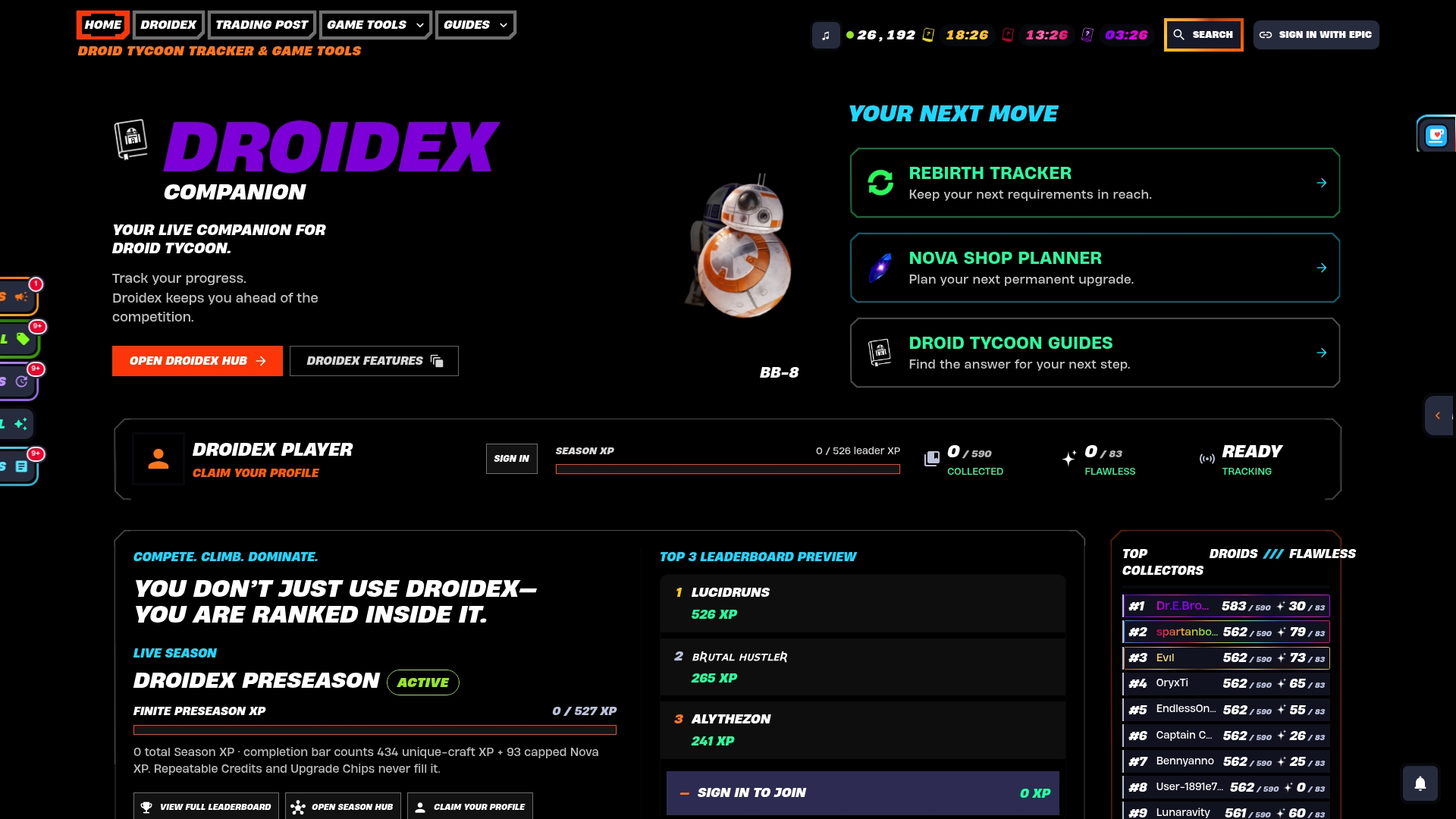
The app automates the tasks that eat the most time in a manual setup:
- Auto-checks active droids: confirms base deployment status without you typing it in.
- Builds rebirth-ready sets: flags exactly which requirements are met and which are missing.
- Displays live overlays: shows tracked stats on screen while you play.
Droidex Companion is free to download from the Droidex landing page, with optional donation support for players who want to back ongoing development. If you are currently running a manual sheet, try the companion app alongside it for one rebirth cycle and compare how much less manual entry you end up doing.
Sources
Keep an eye on Fortnite's official news page for publishing and availability changes, Epic's developer documentation for island unpublishing behavior, and community rebirth tables for verification against your own sheet. Each source catches a different kind of change your tracker needs to reflect.
- Fortnite Star Wars Droid Tycoon v1.28.0 Patch Notes: D-O event and UI update
- Droid Tycoon Rebirth Guide — Respawn Daily
- Games
FAQ
Will Droid Tycoon stay available permanently?
Availability depends on publishing decisions rather than a fixed schedule. Epic's April 2026 news post listed Droid Tycoon among islands moving to developer-managed publishing, which means ownership and publishing terms can change independently of the game's popularity.
Which droids in Droid Tycoon pay the highest credits per second?
Credits/sec varies by tier and current game version, and the publisher's droid catalog tracks these figures as they shift with patches. Checking a droid's individual page, such as the TRAK-R stats page, gives the current figure rather than a snapshot that may already be outdated.
Is Fortnite keeping Droid Tycoon in its lineup?
Droid Tycoon appeared in Epic's own April 2026 announcement about Star Wars content moving to developer publishing, which points to continued availability under new publishing terms rather than removal.
What is the fastest way to earn credits in Droid Tycoon?
Daily free sources like the Pit Droid roll and the Sandcrawler, combined with prioritizing Legendary and Mythic upgrades, tend to produce the best return according to Games.gg's cost and priority breakdown. Timing chip spending around recurring events, such as the Thursday Mega Crate payout boost noted in patch v1.28.0, adds further value to upgrades you were already planning.