
You cannot force a save wipe on your own in Droid Tycoon unless the island developer built in a reset option, but where Super Rebirth exists, it clears most unlocked progress on confirmation. The immediate consequence is losing inventory items, unlocked droids, and some upgrades unless the creator has enabled a persistence system. Before touching that button, back up what you can and check whether the island owner offers a reset path at all.
TL;DR:
- Super Rebirth typically resets inventory, droids, and progress markers unless the island creator enabled persistence through Save Point devices.
- Progress may survive if the island uses Save Point data tied to specific versions or backups, but version mismatches can temporarily hide saved progress.
- Planning for a reset involves checking for reset options, backing up progress, documenting your roster, and contacting the creator if no in-game reset is available.
- After resetting, prioritize repurchasing core income-generating droids and setting early credit milestones to speed up recovery.
- The Droidex Companion app helps track rebirth timing, income goals, and patch changes to optimize recovery and avoid unnecessary losses.
Table of Contents
- What Super Rebirth does and a quick outcomes checklist
- What resets vs. what persists across reset mechanics
- Prepare to reset: backups, inventory snapshot, and contacting the creator
- Executing a reset and repurchasing iconic droids afterward
- Fast recovery plan: prioritized steps after rebirth
- How Droidex Companion helps with planning and recovering from rebirths
- When a rebirth is worth it and when to keep running
- Droidex Companion: plan and track your next rebirth for free
- FAQ
- Sources
What Super Rebirth does and a quick outcomes checklist
Super Rebirth functions as Droid Tycoon's built-in reset mechanic, and players commonly report it wiping a wide slice of accumulated progress in exchange for a rebirth bonus or multiplier. It is not a soft reset. Once confirmed, most player-reported accounts describe losing their collected droids, purchased upgrades, and stored credits, with core unlocks re-locked behind the same purchase costs as a new save.
Before you commit, scan this checklist:
- Inventory wipe: unlocked items and stored resources typically reset to zero.
- Droid re-lock: owned droids often need to be repurchased from scratch.
- Progress markers: some milestone unlocks may persist depending on how the island was built.
- Rebirth bonus: a multiplier or perk is usually the trade for the loss, though the exact bonus varies by island version.
Treat that list as a planning tool, not a guarantee. The exact behavior depends on how the specific island configured its reset logic.
What resets vs. what persists across reset mechanics
Whether your progress resets or survives depends entirely on how the island developer built the save system. Fortnite Creative gives island owners access to Save Point devices, which can persist elimination tracking, inventory, and resource data across sessions. If the Droid Tycoon island you play uses one, some data may survive a session change even when Super Rebirth clears your active run.
Published island versions complicate this further. If a creator pushes an update and you matchmake into an older version, save data tied to a newer build will not load and will not be modified. That means progress can look lost when it is actually just unreadable from the version you happen to be running.
A few key facts shape what you can expect: Epic's own developer documentation confirms that island owners can create backups, restore the most recent backup, or reset an island to its original state, each with a processing cooldown. That control sits with the creator, not the player.
Edge cases worth flagging:
- Progress may appear gone after a version mismatch but return once you rejoin the correct build.
- A creator's backup restore can undo recent changes, including ones you wanted to keep.
- Save Point data tied to one published version will not carry over to a substantially different one.
Prepare to reset: backups, inventory snapshot, and contacting the creator
Preparation determines how fast you recover, and most of it takes less than fifteen minutes.
- Check for a Save Point or reset menu. Open the island's in-game menus and look for any built-in save or reset option before assuming none exists.
- Ask about backups if you have creator access. In Create mode, island owners can back up the island, restore the most recent backup, or reset to original state, though restore and backup operations carry a cooldown and temporarily return you to Create mode.
- Build an evidence pack. Screenshot your credit total, droid inventory, droid IDs, and the timestamps of recent purchases.
- Contact the island developer if no reset option exists. Epic Games Support confirms players cannot manually reset save progress unless the developer enabled that feature, so reaching out through the creator's Fortnite page is the only path when the in-game menu offers nothing.
- Note the current patch version. Compare it against recent Droid Tycoon v1.26 patch notes so you know whether your save issue is a version mismatch rather than an actual wipe.
Pro Tip: Screenshot your droid roster and credit count right before any reset attempt, since a documented baseline makes it far easier to judge what actually changed afterward.
Executing a reset and repurchasing iconic droids afterward
Once you confirm the Super Rebirth or developer-triggered reset, expect an on-screen confirmation prompt followed by a HUD message acknowledging the action, then a return to a cleared or partially cleared base. Community guides describe iconic droids as commonly repurchased from a Loadlifter or dedicated Super Rebirth area, at costs that scale with how advanced the droid was before the reset.
Your first minutes after confirming matter more than almost anything else in the run:
- Check Save Point status to confirm whether any checkpoint data actually carried over.
- Reestablish basic income before chasing cosmetic unlocks or late-game droids.
- Repurchase core droids first, prioritizing the ones that drive early income rather than the flashiest units.
- Avoid impulse buys until you have confirmed current prices against the patch you are running.
Fast recovery plan: prioritized steps after rebirth
Recovery goes faster with fixed targets instead of improvised spending. Set an early credit milestone, lock in two or three essential droids, and aim for basic automation before expanding further.
- Hit your first credit milestone by focusing on the cheapest income-generating droid available at reset.
- Repurchase one or two core droids that generate steady income rather than situational bonuses.
- Automate basic collection as soon as your credit base supports it, freeing you to plan the next purchase instead of grinding manually.
- Check current patch notes before buying anything that was recently changed, since a nerfed droid can waste an early-game purchase.
- Compare your pace against community benchmarks to judge whether you are recovering efficiently or falling behind typical restart timing.
Pro Tip: Running your first-hour purchases in the same order every time removes the guesswork that slows most players down after a reset.
How Droidex Companion helps with planning and recovering from rebirths
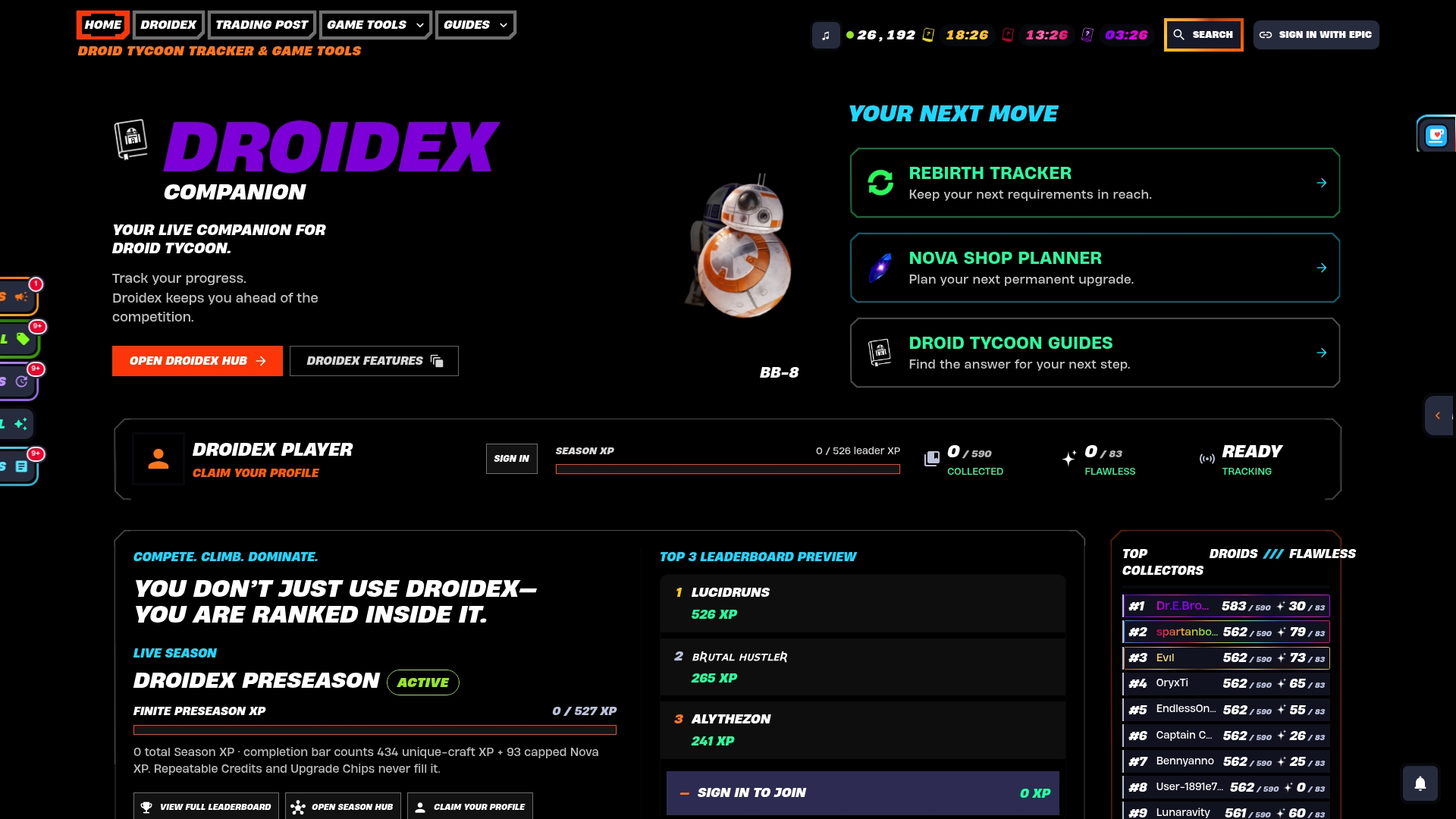
We built a companion app to give Droid Tycoon players a live view of their base instead of a guess. The companion app includes a rebirth cycle tracker, a base income planner to help set realistic early credit targets, and a patch notes page to keep your purchase order aligned with the current meta. Local screen recognition can read live stats directly, and overlays and leaderboard tracking help decide which droids to reclaim first based on data rather than memory. Visit our Rebirth Cycles tracker to plan your next reset with real numbers.

When a rebirth is worth it and when to keep running
A rebirth earns its cost when your current base has plateaued and the rebirth bonus outweighs what you would lose. Weigh your progress level against the long-term benefit before committing, and always document your base first.
— Daniel
Droidex Companion: plan and track your next rebirth for free
The companion app gives you a live view of your base, your droid roster, and your rebirth timing before you confirm any reset prompt, without any mandatory payment.
| Feature | What it does for reset prep |
|---|---|
| Rebirth Cycles tracker | Shows timing and requirements before you commit to a reset |
| Base income planner | Sets realistic early credit milestones after rebirth |
| Live overlays | Displays stats in real time using local screen recognition |
| Patch notes page | Flags droid changes before you repurchase anything |
Pro Tip: Open the rebirth tracker before you confirm Super Rebirth, not after, since the planning window is where most recovery time gets saved.
Our local screen recognition reads live stats directly from your game, which means your tracking stays accurate even across resets. That approach sets our companion apart from tools that rely on manual entry.
Visit Droidex Companion to download the tool, check your Base Profit & Income Planner, and start tracking your next reset with real numbers instead of guesswork.
FAQ
Will Droid Tycoon stay forever?
Island availability depends on the creator maintaining and publishing it, so there is no guarantee any specific build stays online indefinitely. Players should treat any extended break in updates as a signal to back up their own progress notes rather than assume permanence.
Are there any cheat codes for Droid Tycoon in Fortnite?
No official cheat codes exist for Droid Tycoon, and using unauthorized exploits risks violating Fortnite's terms of service. The only supported paths to faster progress are in-game purchases, rebirth bonuses, and the reset tools the island creator provides.
Should I Super Rebirth in Droid Tycoon?
Super Rebirth makes sense once your current base has plateaued and the rebirth bonus outweighs the inventory and droid losses you will take. Document your credits, droid roster, and purchase timestamps first, since most of what Super Rebirth clears cannot be recovered afterward.
How do I respawn or reset Droid Tycoon progress?
You cannot manually reset your own save unless the island developer enabled a reset feature, so check the in-game menu for a Super Rebirth or reset option first. If none exists, contact the island creator directly through their Fortnite creator page.
Sources
- Can I reset my save progress in a Creative island? — Epic Games Support
- Overview and tools settings in Fortnite Creative — Epic Developer Documentation
- Using Save Point devices in Fortnite Creative — Epic Developer Documentation