
For your next rebirth, use a compact checklist template: confirm your required active droids, check that your credit total meets the threshold the Rebirth Station displays, then open the kiosk directly to verify exact requirements before you spend a single credit. This single step prevents the most common planning error: trusting a memorized number instead of the live one.
TL;DR:
- Always verify live in-game requirements before spending credits, as patch updates can shift the credit thresholds and droid tier demands.
- Prioritize upgrading recurring droids like BU-4D, Groundmech, ARG, R9, and MONO-WLKR, since they provide multi-level value and reduce future resource spending.
- Use a final station check to confirm active droid placement and credit totals, as ownership alone does not count toward eligibility.
- A compact checklist best suits early levels, while long-term roadmaps tracking tier escalation are essential for efficient progression beyond level 10.
- Droidex Companion provides live overlays and automated tracking, improving planning accuracy without relying on static notes or manual calculations.
Table of Contents
- 1. Three Copyable Checklists for Every Stage
- 2. Reference Table: Rebirth Levels 1 Through 20
- 3. Three Ready-to-Use Planner Templates
- 4. How to Run a Session Using a Template
- 5. How Droidex Companion Maps Templates to Live Tracking
- 6. Step-by-Step Rebirth Workflow and Final Station Check
- 7. Strategies to Optimize Resource Allocation During Rebirth
- 8. Common Mistakes to Avoid When Using Rebirth Planners
- 9. How Rebirth Impacts Long-Term Gameplay Progression
- 10. Examples of Rebirth Planners for Different Playstyles
- 11. Comparison of Popular Rebirth Planner Tools and Their Features
- 12. Why Planning Discipline Reduces Stalled Rebirths
- 13. Put These Templates to Work With Droidex Companion
- FAQ
- Sources
1. Three Copyable Checklists for Every Stage
Each stage of Droid Tycoon rewards a different checklist structure. Copy any of these directly into a notes app or spreadsheet.
First rebirth checklist:
- Unlock the Rebirth Station through quest progress, then build it for 4,000 Credits.
- Collect 10,000 Credits total before attempting the rebirth.
- Place C8 Droid, Pit Droid, and DRK-1 Probe as active droids, not just owned ones. (Rebirth Station guide)
Mid-game checklist:
- Set a credit band target based on your current rebirth level instead of a flat number.
- Flag droids that reappear across multiple levels for priority upgrades.
- Monitor shop and Sandcrawler rotations so you do not stall waiting on a single droid.
Late-game checklist:
- Reserve Upgrade Chips ahead of time rather than spending them reactively.
- Confirm the required rarity tier for each droid, since tiers escalate at higher levels.
- Run a final active-placement check before confirming the rebirth.
Pro Tip: Keep the first rebirth checklist pinned even after you progress. Its structure (unlock, collect, place, verify) is the backbone of every later checklist.
2. Reference Table: Rebirth Levels 1 Through 20
Community-compiled data on rebirth requirements lists credit totals and three required active droids per level through level 20. Several droids recur and escalate in tier as you climb, which is why a single static checklist stops working beyond the early game.
| Rebirth Level | Credits Required | Required Active Droids |
|---|---|---|
| 1 | 10,000 | C8 Droid, Pit Droid, DRK-1 Probe |
| 2 | A moderate number | C8 Droid, Pit Droid, BU-4D (Basic) |
| 3 | A moderate number | Groundmech, ARG, BU-4D (Basic) |
| 4 | A moderate number | Groundmech, ARG, R9 |
| 5 | A moderate number | BU-4D (Gold), MONO-WLKR, R9 |
| 10 | Higher credits required | BU-4D (Gold), Groundmech (upgraded), MONO-WLKR |
| — | Higher credits required | BU-4D (Diamond), ARG (upgraded), MONO-WLKR (upgraded) |
| 20 | A large number | BU-4D (Diamond), Groundmech (max tier), R9 (upgraded) |
A May 12, 2026 patch softened some of the higher-level rarity demands, swapping specific Rainbow-tier requirements for any Legendary droid of the same type, so treat the top end of this table as directional rather than fixed. Always verify in-game requirements at the kiosk before committing credits, since levels above 20 exist but are not yet fully community-verified.
3. Three Ready-to-Use Planner Templates
A planner template only works if it has consistent fields you fill in every time. We recommend these three formats, each suited to a different planning horizon.
- Compact run template. Fields: target level, credits goal, required droids, Upgrade Chips allocated, shop-rotation check slots, placement slots. Fill it in right before a session and discard it once the rebirth confirms.
- Weekly planner. Same fields as the compact run, plus a daily task row and two shop-check windows per day. Use this when you are grinding toward a specific level across several sessions rather than one sitting.
- Long-term roadmap. Built around recurring droids: BU-4D, Groundmech, ARG, R9, and MONO-WLKR. Track their current tier, the tier each future level demands, and the Upgrade Chip cost to close that gap.
For the weekly format, a typical entry looks like this:
- Monday: check shop rotation, confirm credit total against target.
- Wednesday: upgrade one recurring droid, recheck active placement.
- Friday: final push on credits, reserve chips for the weekend session.
The long-term roadmap is the template that benefits most from tracking tier escalation explicitly, since BU-4D moves from Basic to Gold to Diamond across the levels in the table above, and each jump has its own chip cost.
4. How to Run a Session Using a Template
Open the Rebirth Station kiosk first and set your template's target level before doing anything else. Compare the live requirement against your saved template, since numbers shift between patches.
- Collect or upgrade every droid your target level lists as required.
- Assign each required droid to an active slot or rest area, not just your inventory.
- Pause discretionary spending once your credit total nears the target, so a random purchase does not delay your rebirth.
Before confirming, run the final verification sequence: active placement correct, credits at or above target, required tiers matched, then confirm. Skipping this sequence is the fastest way to waste a shopping trip on droids that do not even count toward eligibility, since active deployment is required and checked-but-stored droids do not.
Pro Tip: Run the final check twice if you just upgraded a droid mid-session. Upgrades occasionally reset a droid's placement status.
Once the rebirth confirms, immediately allocate your new slots and restart your income allocation for the next target instead of leaving idle base space.
5. How Droidex Companion Maps Templates to Live Tracking
Our app turns the planner fields above into live overlays instead of static text. The overlay shows current credit totals and active-placement indicators directly tied to the template fields you set, so you see your progress without alt-tabbing to check manually.
The rebirth cycles tracker imports your target level and flags shop-rotation checks on a schedule, which matches the weekly planner format described above. Droid-specific pages, including DRK-1 Probe and R3, supply variant and effect data you can drop straight into the upgrade columns of your long-term roadmap.
All of this runs on local screen recognition rather than cloud uploads, so live stat tracking stays on your machine. That matters for players who want tracking accuracy without handing session data to a remote server.

6. Step-by-Step Rebirth Workflow and Final Station Check
The full workflow runs in a fixed order: unlock the station, build it, collect the credit threshold, acquire and place every required droid, then confirm. The Rebirth Station guide lays out this exact sequence, building the station for 4,000 Credits before the first 10,000-Credit rebirth even becomes possible.
The final station check is the step most players skip, and it is also the one that prevents wasted trips. Before confirming, inspect the kiosk one more time: record the exact credit target and droid tiers it currently shows, since shop stock and patch adjustments both shift requirements between sessions. Acquire or upgrade any droid still missing, place each one actively rather than leaving it in storage, and stop spending credits once you hit the number the kiosk displays.
Only after that recheck should you commit. Ownership alone does not satisfy a rebirth requirement, active placement does, which makes the final check less of a formality and more of the actual gate. Treat the workflow as five fixed steps every time: inspect, collect, place, recheck, confirm. Players who skip the recheck step tend to discover mid-rebirth that a droid they upgraded an hour ago never got reassigned to an active slot, costing them the attempt.

7. Strategies to Optimize Resource Allocation During Rebirth
Credits and Upgrade Chips both compete for the same decisions, so treat them as a single budget rather than two separate pools. Prioritize upgrading droids that recur across multiple rebirth levels, since a chip spent on BU-4D or Groundmech pays off at several future levels instead of one.
Avoid spreading Upgrade Chips evenly across every droid you own. A chip spent on a droid that only appears once in your next three target levels returns less value than the same chip spent on a droid appearing in all three. Hold a small reserve of chips rather than spending them the moment you earn them, since a late-game tier jump often demands more chips than a single session produces.
Credits follow a similar logic. Set a band target instead of a flat number, since requirements shift between patches and a buffer protects you from a last-minute shortfall. Shop and Sandcrawler rotations are often the real bottleneck, not your credit total, so plan around scan windows rather than assuming more credits always solves a stalled rebirth.
For base layout, sequence which slots open after each rebirth and assign active placements accordingly, so a droid you already own does not sit idle in inventory while a lower-value droid occupies an active slot. This is the allocation mistake that costs the most progress for the least obvious reason: the droid was never missing, it was never placed.
8. Common Mistakes to Avoid When Using Rebirth Planners
The most frequent mistake is confusing ownership with eligibility. A collection-only checklist can show every required droid as checked while the actual rebirth requirement fails, because droids must be deployed or placed in a rest area to count, not simply owned.
A second mistake is relying on a memorized credit number instead of the live kiosk value. Patches adjust requirements, and a number that was accurate two weeks ago can be wrong today.
Other recurring errors:
- Spending Upgrade Chips on single-use droids instead of ones that recur across levels.
- Skipping the final station check after an upgrade, which can leave a droid unassigned to an active slot.
- Treating the compact checklist as sufficient for long-term planning, when a detailed table is what actually exposes tier escalation.
Each of these mistakes shares a root cause: trusting a static plan over a live check. A planner template is a starting point for a session, not a substitute for opening the kiosk.
9. How Rebirth Impacts Long-Term Gameplay Progression
Each rebirth resets certain base elements while unlocking new slots and progression tiers, which is why planning ahead matters more as you climb levels. Early rebirths move quickly because requirements are low and droids are easy to place. Later rebirths slow down because credit thresholds grow and droid tiers escalate, turning a single rebirth into a multi-session project rather than a quick action.
This shift changes what a planner should track. In the early game, a compact checklist covers everything you need. By level 10 or beyond, the droids that recur across multiple levels (BU-4D, Groundmech, ARG, R9, MONO-WLKR) become the real progression bottleneck, since each tier jump demands both credits and Upgrade Chips you likely need for the next level too.
Long-term progression, in practice, becomes a chip-allocation problem more than a credit-collection problem. Players who track tier escalation ahead of time avoid getting stuck at a level because every chip went to a droid that only mattered once. A long-term roadmap template, built around those five recurring droids, is what turns rebirth from a repeated scramble into a predictable climb.
10. Examples of Rebirth Planners for Different Playstyles
Not every player needs the same planner. A casual player who logs in a few times a week benefits most from the compact checklist alone, since their sessions are short and the goal is simply to not waste a login on a rebirth that was never eligible.
A grinding player pushing toward a specific level benefits from the weekly planner, with its daily task rows and shop-check windows built in. This format matches a schedule rather than a single session, which fits someone treating Droid Tycoon as a multi-day project.
A completionist focused on maxing every recurring droid's tier benefits most from the long-term roadmap. Their planning problem is not credits, it is sequencing chip spend across BU-4D, Groundmech, ARG, R9, and MONO-WLKR so no single droid blocks two different rebirth levels at once.
A competitive player chasing leaderboard position benefits from combining the compact checklist with live tracking, since speed between rebirths matters as much as hitting the requirement correctly the first time.
11. Comparison of Popular Rebirth Planner Tools and Their Features
Players generally plan rebirths with one of three approaches: a plain notes app or spreadsheet, a general tracker tool built for other games and adapted to Droid Tycoon, or a purpose-built companion app. A compact tracker concept, similar to the gameweek trackers Fpl describes for fantasy sports leagues, translates reasonably well to structuring a weekly rebirth planner, even outside its original context.
A plain spreadsheet gives full control over fields but requires manual updates every session, and it carries no live connection to your actual credit total or droid placement status. A general tracker adapted from another game covers the scheduling layer well but usually lacks droid-specific data like tier escalation or chip costs.
Droidex Companion covers the planning layer with live overlays, a dedicated rebirth cycles tracker, and droid variant pages that populate roadmap fields directly, all through local screen recognition rather than manual entry. For a player who wants their planner template connected to what is actually happening on screen, that combination covers more of the workflow than a spreadsheet or an adapted tracker can on its own.
12. Why Planning Discipline Reduces Stalled Rebirths
A rebirth stalls almost every time for the same reason: a player trusted an old number instead of checking the kiosk, or assumed a droid was placed when it was only owned. Planning templates solve this, but only when the final check becomes habit rather than an afterthought.
The discipline that saves the most time is not the fanciest template, it is the boring one: inspect the station, match your plan against the live requirement, then confirm. Treat the kiosk, not your notes, as the authority.
— Daniel
13. Put These Templates to Work With Droidex Companion
Building a rebirth planner by hand works, but keeping it accurate every session is the part that eats time. Droidex Companion turns the templates above into live overlays and a rebirth cycles tracker that updates as you play, using local screen recognition so your stats stay on your own machine.
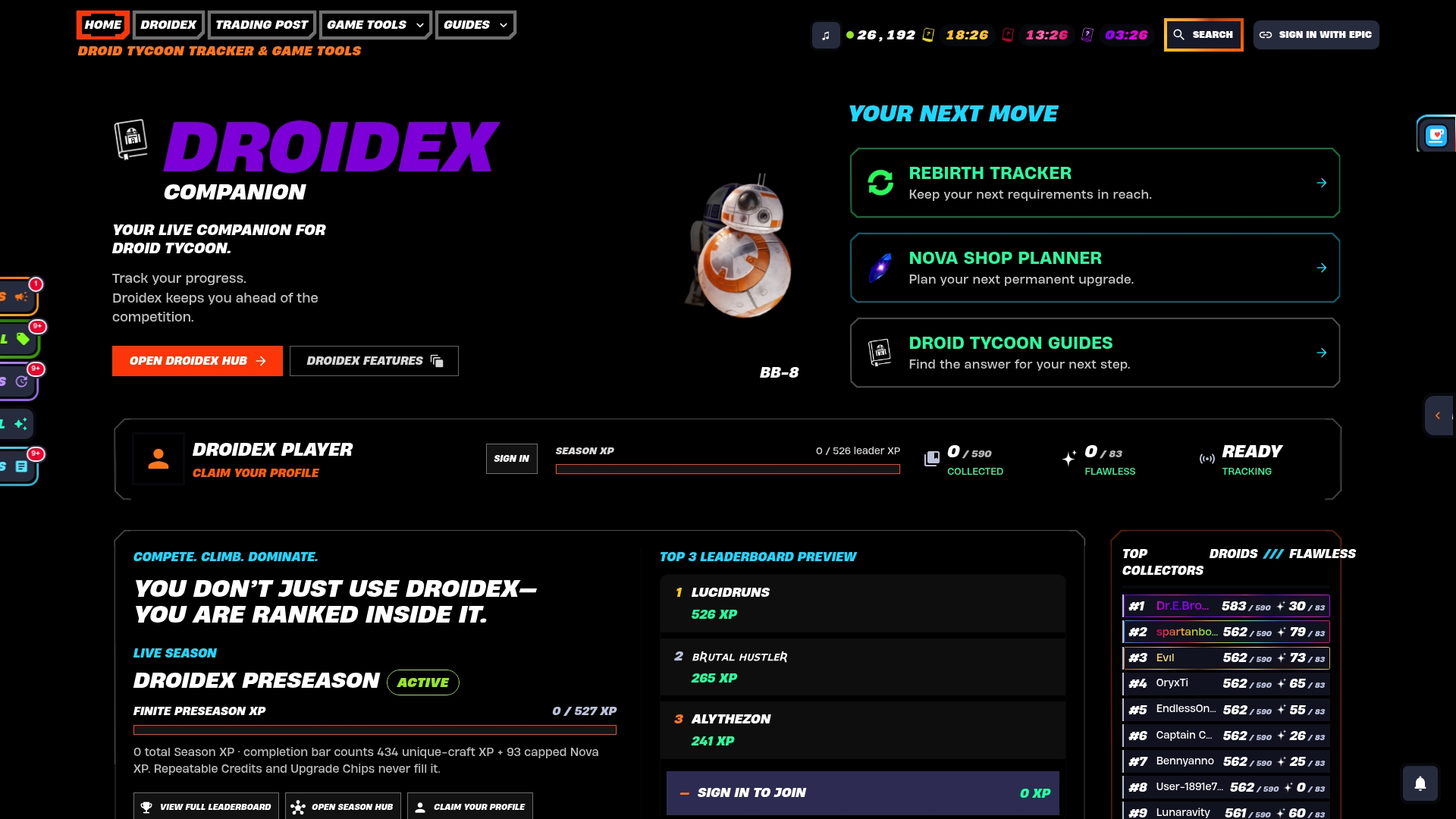
Download it from the Droidex Companion landing page and connect your first rebirth checklist to a live overlay in your next session.
FAQ
What is the fastest rebirth planner template for beginners?
A compact checklist is the fastest format: confirm your credit total, confirm your three required active droids, then check the in-game kiosk before spending. This template works best for a first rebirth, where requirements are low and droids are easy to place.
How many credits does the first rebirth require?
The first rebirth requires 10,000 Credits after building the Rebirth Station for 4,000 Credits, along with C8 Droid, Pit Droid, and DRK-1 Probe placed as active droids. These figures come from a community rebirth guide and can shift with future patches.
Why does my droid checklist show ready but the rebirth still fails?
This happens when a droid is owned but not actively placed, since active deployment is required for it to count. Check that every required droid sits in an active slot or rest area, not just your inventory, before confirming.
Which droids should I prioritize upgrading for long-term planning?
Prioritize BU-4D, Groundmech, ARG, R9, and MONO-WLKR, since these droids recur across multiple rebirth levels and escalate in tier as you climb. Upgrading them early returns value at several future rebirths instead of just one.
Does Droidex Companion track rebirth requirements automatically?
Droidex Companion includes a rebirth cycles tracker that imports your target level and flags shop-rotation checks, paired with live overlays for credit totals and active placement. It runs on local screen recognition, so tracking happens without cloud uploads.
Sources
- Fortnite Droid Tycoon Guide: How to Use Rebirth Station
- Fortnite Star Wars Droid Tycoon Rebirth Requirements (Levels 1–20) - Tech Nerdiness