

The most reliable setup combines four layers: official game lifecycle events where the game exposes them, a 60-second heartbeat to confirm the session is still live, local screen recognition or UI Automation as a fallback when events go quiet, and buffer aware logging so nothing gets lost between rebirths. Droidex Companion runs on exactly this stack. Privacy rules, especially COPPA for players under 13, shape how much data any of these methods should ever store.
TL;DR:
- Combining lifecycle events, 60-second heartbeats, and local screen recognition ensures reliable session detection even during game crashes or alt-tabs.
- Buffer-aware logging with UTC timestamps prevents data loss and keeps session durations accurate across different machines and time zones.
- Using a short debounce window for rebirth events avoids double counting, maintaining the integrity of competitive leaderboards and stats.
- A 60-second heartbeat interval strikes a balance between responsiveness and resource usage, with shorter intervals increasing event volume.
- Privacy protections restrict session data to anonymized IDs, timestamps, and rebirth counts, avoiding personal or under-13 user information.
Table of Contents
- What Are the Main Session Tracking Methods?
- How Do You Detect When a Session Starts or Ends?
- How Should Session Durations Get Logged?
- How Do You Capture Rebirths Without Duplicates?
- What Keeps Overlays Fast and Accurate?
- What Privacy Rules Apply to Session Data?
- What's the Implementation Checklist?
- Why Reliability Beats Precision for Rebirth Planning
- A Ready-Built Way to Track All of This
- Sources
- FAQ
What Are the Main Session Tracking Methods?
A desktop companion app for Droid Tycoon has five practical ways to know a session is happening. Each fits a different job.
- Lifecycle events (gameStarted, gameRunning, gameEnded): the cleanest signal when the game or an SDK exposes them, and the backbone of standard game lifecycle tracking.
- Heartbeats: a repeated "still here" ping, usually every 60 seconds, that fills the gap between start and end events.
- Local screen recognition: reads on-screen text and icons directly, which is how Droidex Companion confirms live stats without touching game files.
- UI Automation listeners: subscribe to Windows UI state changes instead of constantly polling the screen, per Microsoft's UI Automation guidance.
- OS level tracing (ETW/WPR): useful for debugging missed events, less useful for everyday overlay tracking.
Lifecycle events and heartbeats work best for authoritative logs. Screen recognition and UI Automation work best for real time overlays, since they don't depend on the game cooperating.
How Do You Detect When a Session Starts or Ends?
Session boundaries sound simple until a player alt-tabs, the game crashes, or the app misses a window. Layering detection methods handles all three cases.
- Watch for the official start and end events first. When gameStarted and gameEnded fire, trust them. This mirrors how Azure Monitor treats session boundaries, closing a session on an explicit end signal or on inactivity.
- Run a gameRunning heartbeat every 60 seconds. A missed heartbeat, not a missing end event, is often the first sign something went wrong.
- Fall back to screen recognition or UI Automation when events go silent. If the process is running but nothing has reported in, read the screen directly.
- Apply an inactivity timeout. Cache the last heartbeat timestamp; if too much time passes with no update, close the session using that cached time rather than the current clock.
Pro Tip: Never trust a single termination signal. Combining a heartbeat miss with a screen-state check catches crashes that never fire a clean gameEnded event.
How Should Session Durations Get Logged?
Duration is just end minus start, but only if the timestamps behind it are trustworthy. Store every session with a persistent session ID and a UTC timestamp at start and end. UTC avoids the daylight saving and time zone bugs that quietly corrupt duration math on any machine running a companion app for months at a time.
Heartbeat frequency is the real design decision here. A 60 second interval is the common default across game analytics SDKs, and Unity's own Analytics SDK batches and uploads events on that same 60 second cycle. Shorter intervals catch inactivity faster but generate more events to store and process. Longer intervals save resources but blur short sessions.

60 seconds is the interval most analytics platforms settle on for heartbeat and batch uploads, balancing responsiveness against overhead.
A few habits keep this data clean:
- Don't chase microsecond precision. Timing APIs have practical resolution limits, and treating session length as approximate rather than exact is the right call.
- Buffer events locally before writing or sending them, so a burst of activity (a fast rebirth chain, for instance) doesn't overwhelm the write path.
- Log the session ID with every event, not just at start and end, so partial data still reconstructs cleanly.
How Do You Capture Rebirths Without Duplicates?
Rebirths are the highest value event in a Droid Tycoon session log, and also the easiest to double count. A rebirth can trigger from an in-game event, from a change in on-screen collection counters, or from both at once within a second of each other.
- Detect the rebirth through whichever signal is available: an explicit game event, or an overlay text change caught by screen recognition.
- Attach a full parameter set to every rebirth: rebirth count, session ID, timestamp, and current player state.
- Debounce with a short confirmation window. Treat the first detection as provisional and confirm it against the next heartbeat before logging it permanently, a pattern that mirrors how event recording guidance handles rapid, repeated triggers.
- Feed confirmed rebirths straight into rebirth-cycle tracking and leaderboard systems, so competitive standings update from validated events only.
Skipping the debounce step is the single most common cause of inflated rebirth counts in any tracker.
What Keeps Overlays Fast and Accurate?
An overlay is only as good as the pipeline feeding it. The pattern that holds up under load is simple: an event queue collects raw signals, an aggregator turns them into current stats, and the overlay reads only from that aggregated state rather than reacting to every raw event directly.
- Throttle overlay refreshes. Updating the display on every single event causes visible flicker and wastes render cycles for no benefit.
- Batch related updates together, especially during a rebirth chain where several stats change within seconds.
- Use local screen recognition as the overlay's primary input when no game event is available. It's the same technique Droidex Companion relies on for its live stat display.
- Test overlay performance under load, not just at idle. A tracker that works fine at one update per minute can lag badly during a rebirth burst.
Pro Tip: If overlay updates start lagging behind actual gameplay, check the aggregator step first. A queue backing up almost always means the aggregation logic, not the display, is the bottleneck.
What Privacy Rules Apply to Session Data?
Session telemetry should carry the minimum needed to function: a session ID, start and end timestamps, and rebirth counts. Nothing tied to a real name, location, or contact detail belongs in a Droid Tycoon session log.
- Collect only session ID, timestamps, and gameplay counters. Skip anything that identifies the person behind the account.
- Treat any user under 13 as covered by COPPA, which requires verifiable parental consent before collecting personal information from that age group.
- Apply data minimization and keep records disassociated from identity wherever possible, reducing exposure even if storage is compromised.
- Set a retention limit and disclose it plainly in the app, rather than storing session history indefinitely by default.
| Data element | Store it? | Notes |
|---|---|---|
| Session ID | Yes | Random identifier, not tied to account details |
| Start/end timestamps | Yes | UTC, minimal precision needed |
| Rebirth count | Yes | Core gameplay metric |
| Player name or contact info | No | Not needed for tracking, avoid entirely |
| Under-13 personal data | Only with consent | COPPA parental consent required |
Reviewing how Droidex verifies Droid Tycoon data shows how this minimization approach plays out in an actual tracker.
What's the Implementation Checklist?
Building this from scratch, or auditing a tracker that already exists, comes down to a short set of checks.
- Instrument the minimum event set: gameStarted, a 60 second heartbeat, gameEnded, and a rebirth event, each carrying a persistent session ID.
- Size logging buffers generously. Guidance around WPR sessions recommends buffer sizes of 64 KB or 128 KB to cut down on lost events during bursts.
- Pick UTC timestamps as the default clock reference across every log.
- Test against failure cases directly: force a crash, simulate a rebirth burst, and disable screen recognition to confirm the heartbeat fallback still works.
- Monitor for eventsLost counts, missed heartbeats, and overlay lag once the tracker is live, not just during initial testing.
Why Reliability Beats Precision for Rebirth Planning
Competitive Droid Tycoon play doesn't need perfect timestamps. It needs a tracker that never silently drops a rebirth or misreports a session length during a crash. That's the real tradeoff behind every method in this guide: a heartbeat that catches inactivity a few seconds late still beats a system that goes blind the moment one lifecycle event fails to fire.
Live tracking and leaderboards reward consistency, not decimal precision. An overlay, rebirth tracker, and leaderboard system built around that principle catch the event reliably first, refine the display second.
— Daniel
A Ready-Built Way to Track All of This
A ready-made tracker implements lifecycle events, heartbeat monitoring, local screen recognition, and buffer aware logging, requiring no configuration or custom tracking logic.
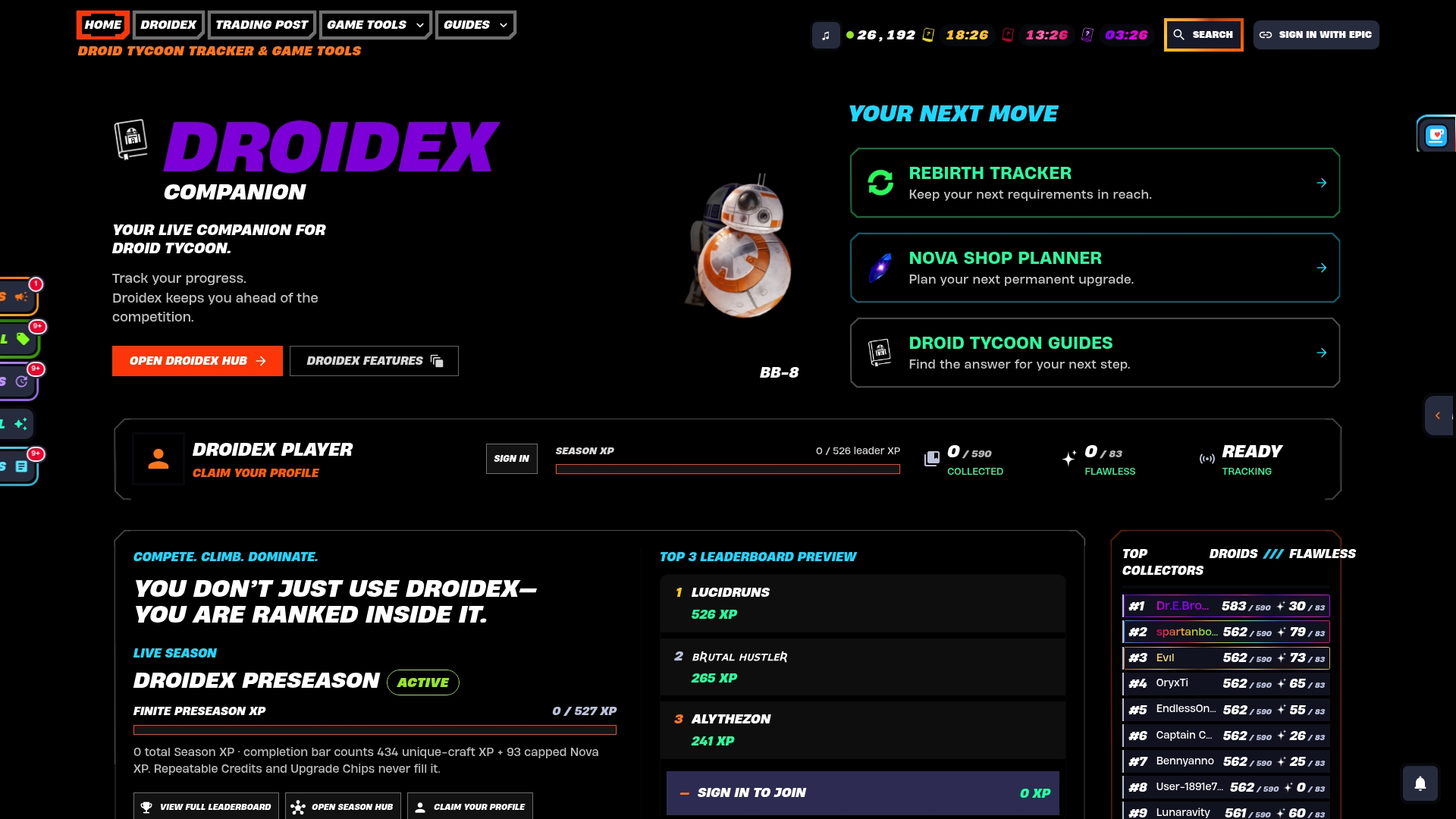
The rebirth tracker applies the same debounce logic described earlier, feeding directly into rebirth cycle tracking and the competitive leaderboard system. Overlays update from the same throttled aggregation pipeline, so live stats stay accurate without lag during a rebirth chain. Core features, live tracking, overlays, the rebirth tracker, and leaderboards, are free to use. Support for continued development is entirely optional, through Ko-fi donations, never required to unlock a feature.
Download Droidex Companion and start tracking your next session with it running in the background.
Sources
- Unity Analytics — Events and standard lifecycle events
- UI Automation events overview - Win32 apps | Microsoft Learn
- MDN — PerformanceEventTiming
- FTC guidance — COPPA compliance
FAQ
What Is the Best Way to Track a Droid Tycoon Session?
Combine lifecycle events with a 60 second heartbeat and a local screen recognition fallback. Droidex Companion runs all three together, which is why it can detect crashes and rebirths that a single-method tracker would miss.
How Often Should a Heartbeat Fire?
Every 60 seconds is the standard interval used by major game analytics SDKs for both heartbeats and batch uploads. Shorter intervals add overhead; longer ones delay inactivity detection.
Does Droidex Companion Cost Anything?
Core features, including live tracking, overlays, the rebirth tracker, and leaderboards, are free. Development is supported through optional Ko-fi donations, and pricing details live on the Droidex Companion site.
How Do You Avoid Losing Session Events?
Size your logging buffer generously, with guidance around 64 KB or 128 KB minimums to handle bursts without dropping events. Pair that with heartbeat confirmation so a single missed event doesn't corrupt the whole session log.
Why Does Rebirth Tracking Need Debouncing?
A rebirth can trigger from two signals almost simultaneously, an in-game event and a screen text change, which risks logging it twice. A short confirmation window checked against the next heartbeat keeps the count accurate before it feeds into leaderboards.