
Credits per minute (CPM) is the number of credits your base earns in one minute of play: credits gained between two readings, divided by the minutes between them. In Droid Tycoon, a Fortnite creative mode released on May 1, 2026, CPM is the figure that tells you how long the next rebirth gate will take. This guide covers the formula, the errors that distort it, and a repeatable way to track it with Droidex Companion.
TL;DR
- CPM = (credits at end − credits at start) ÷ minutes elapsed. Multiply a credits-per-second reading by 60 to convert.
- Measure over at least 10 minutes of steady play. Short windows catch spikes from sales and rewards, not your real income.
- Divide the next rebirth credit gate by your CPM to get minutes remaining.
- Droidex Companion reads your screen locally and logs the numbers live, so you do not time anything by hand.
Table of Contents
- What credits per minute measures
- The formula and a worked example
- Why short windows mislead
- Errors that distort your number
- Using CPM to plan rebirths
- A repeatable tracking routine
- Tracking CPM automatically with Droidex Companion
- Get the app
- Our perspective
- Reading your results
- FAQ
- Sources
What credits per minute measures
Droid Tycoon shows income in credits, and many droid lists express production as credits per second. Insider Gaming's droid breakdown lists droids by rarity with their credits-per-second values. That figure describes one droid. CPM describes your whole base over real time.
The two numbers answer different questions:
| Metric | What it describes | Best use |
|---|---|---|
| Credits per second (per droid) | Output of a single droid or variant | Choosing which droid to place or upgrade |
| Credits per minute (session) | Net credits your account gains per minute | Forecasting rebirth timing |
| Credits per hour | Same as CPM times 60 | Comparing long sessions |
| Peak CPM | Best short window recorded | Judging the effect of a layout change |
The sum of your droids' per-second output gives a theoretical ceiling. Your measured CPM is almost always lower, because downtime, spending and missed collection all pull the average down. Measured CPM is the one that predicts your timeline.
The formula and a worked example
The calculation is short:
CPM = (end credits − start credits) ÷ elapsed minutes
The method breaks when you spend credits inside the window, so note any purchase and add its cost back to the end figure.
Example with made-up numbers: you start a window at 420,000 credits and finish 15 minutes later at 600,000, after buying nothing.
- Gain: 600,000 − 420,000 = 180,000 credits
- CPM: 180,000 ÷ 15 = 12,000 credits per minute
Now suppose you bought a 30,000-credit upgrade during that window and finished at 570,000. The raw gain is 150,000, which would give 10,000 CPM. Adding the 30,000 back restores the true 12,000.
From a per-second reading the conversion is direct: 200 credits per second × 60 = 12,000 credits per minute.
Why short windows mislead
A one-minute reading can swing widely. Selling a droid, claiming a reward or collecting stored income lands a large block of credits in a single moment. That block inflates the minute it falls in and leaves the next one looking weak.

Averaging fixes this. A moving average smooths short-term fluctuations so the underlying trend shows. For gameplay, that means reading CPM across a rolling window instead of trusting any single minute.
Practical window lengths:
- 1 to 2 minutes: useful only to confirm that a change took effect.
- 10 to 15 minutes: the standard window for a stable CPM.
- 30 minutes or more: best for comparing two base layouts side by side.
If your income arrives in bursts, lengthen the window until two consecutive readings agree within a few percent.
Errors that distort your number
Most wrong CPM figures come from one of five causes.
- Spending inside the window. Purchases subtract from your balance and understate income. Add them back, as in the example above.
- One-time payouts. Event rewards and sale proceeds are not recurring income. Exclude them or log them separately. The event reward checklist shows how to sort rewards quickly.
- Idle time. Menus, deaths and away periods count as minutes with no income. Decide beforehand whether you want active CPM or total CPM, and keep that choice consistent.
- Unrounded display values. Large balances appear in shortened form such as 2.95M. Rounding at that level hides gains of tens of thousands of credits, so measure over a window long enough that the gain is far larger than the rounding step.
- Changing the setup mid-window. Swapping a droid halfway through produces a blended figure that belongs to neither layout. Start a fresh window after every change.
Using CPM to plan rebirths
The main reason to track CPM is the rebirth gate. Each rebirth requires a credit amount plus specific droids at minimum variants. The Droidex rebirth tracker lists the credit gates for each recorded Super Rebirth path. On Path 5, the first four gates read 10K, 150K, 975K and 2.95M credits.

The time-to-gate formula:
Minutes remaining = (credit gate − current credits) ÷ CPM
Worked examples, using hypothetical CPM values:
| Gate | Credits needed | Assumed CPM | Minutes |
|---|---|---|---|
| 0 to 1 | 10K from zero | 2,000 | 5.0 |
| 1 to 2 | 150K from zero | 12,000 | 12.5 |
| 2 to 3 | 975K from zero | 40,000 | 24.4 |
| 3 to 4 | 2.95M from zero | 120,000 | 24.6 |
The table shows why CPM compounds in value. A gate that is nearly 20 times larger than the previous one takes about the same time when income scales to match, so the goal is not just reaching the gate but arriving with a higher CPM than your last run.
Credits are only one requirement. Each gate also asks for specific droids and variants, so a high CPM does not shorten the time you need to acquire them. Treat the credit estimate as one half of your plan and check droid requirements alongside it.
A repeatable tracking routine
This routine works with a notebook or a spreadsheet. The tracker in the next section automates every step.
- Pick a window length. Use 10 minutes for a quick check or 30 minutes for a comparison.
- Record the start balance and the clock time. Write both down at the same moment.
- Log spending and one-time payouts. Note each with an amount.
- Record the end balance, then apply the formula. Add back purchases and subtract one-time payouts.
- Repeat after each base change. Compare the new CPM with the previous one and keep the layout that scores higher.
Manual tracking costs attention. Every glance at a timer is a moment away from the game, and every transcription is a chance for error. Automation removes both.
Tracking CPM automatically with Droidex Companion
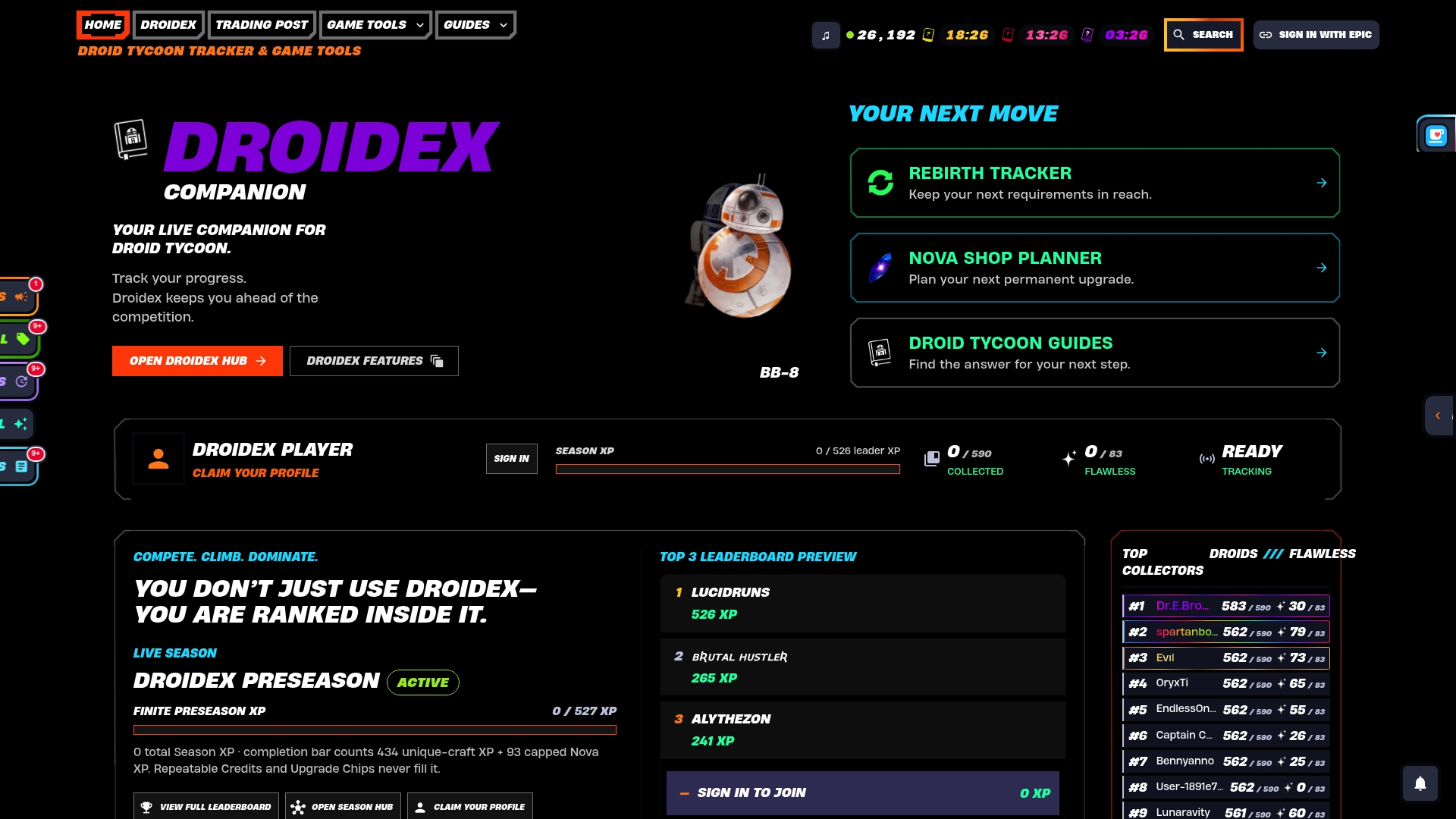
Droidex Companion is a free Windows app for Droid Tycoon players. It uses local screen recognition to read your stats while you play, so the numbers come from what your screen shows and are processed on your own PC. It logs live stats, supports rebirth planning and offers customizable overlays.
That design suits CPM tracking for three reasons:
- Readings are logged continuously, so a 10-minute or 30-minute window needs no timer.
- The same session log feeds rebirth planning, which turns CPM into a time estimate.
- Overlays put the figure on screen during play, and you choose which stats appear.
To see how readings are captured, read how to track session stats in Droid Tycoon. For the reasoning behind reliable logs, the post on four layers that secure session tracking explains the methods. A fast first setup is covered in the five-minute performance dashboard guide.
If you worry about frame rate, the overlay performance tests show how to find which overlay element affects FPS on your PC.
Get the app
Droidex Companion covers live stat tracking, rebirth planning, collection management and leaderboards in one Windows app. All main features are free, and donations through Ko-fi are optional. Download Droidex Companion and start logging CPM in your next session.
To compare your numbers with other players, the community statistics page gives a wider reference. For the latest features, see the 1.2.9 release notes.
Our perspective
Most players judge income by feel. A base that seems fast on a good minute can be average over an hour, and the reverse happens just as often.
We built Droidex Companion around one idea: a number you read from your own screen, over a long enough window, is more useful than any estimate. Local screen recognition lets the app log credits continuously without manual entry, and that is what makes CPM comparable between sessions.
Our advice is to pair CPM with the rebirth plan. Tracking income alone tells you how you are doing. Dividing the next gate by that income tells you what to do next, and that is why session logging and rebirth planning sit in the same app.
Daniel
Reading your results
Once you have several windows logged, compare them with a clear goal in mind.
- CPM rises after a change: keep the change and start a new baseline.
- CPM falls after a change: check for idle time or spending before blaming the layout, then repeat the window.
- CPM is flat for several runs: the base has reached its current ceiling, and the next gain comes from a new droid or variant.
Keep a note for each window with the date, window length, CPM and the layout used. A history of ten entries tells you more than any single great run, and it shows which changes paid off.
FAQ
What is a good credits per minute value in Droid Tycoon?
It depends on your rebirth stage, so no single number applies. Early gates need thousands of credits per minute, while later ones need hundreds of thousands. Judge your CPM against the next credit gate: it should let you reach that gate within a session length you are happy with.
How do I convert credits per second to credits per minute?
Multiply by 60. A reading of 150 credits per second equals 9,000 credits per minute. For hourly figures, multiply the per-minute value by 60 again.
How long should I measure to get an accurate CPM?
Use at least 10 minutes of steady play. Shorter windows catch sales, rewards and collection bursts that skew the result. If two consecutive 10-minute readings differ by more than a few percent, extend the window to 30 minutes.
Does tracking CPM hurt game performance?
The app reads the screen locally, and overlay elements are optional, so you decide what runs. If you notice a frame rate drop, disable overlay elements one at a time and compare. The overlay performance guide linked above gives a test sequence.
Sources
- Droid Tycoon, Fortnite Wiki
- Complete Fortnite Star Wars Droid Tycoon Droidex, Insider Gaming
- Moving Average, Statistics By Jim